Pushing Frontier AI to Its Limits
My last post was more than 14 months ago. Right when the LLM hype exploded, then AI Agents, Coding Agents... I stayed silent for a while busy watching everyone talk about how LLMs could solve LeetCode problems, or how RAG could change how traditional chatbots work. People with ML backgrounds didn't quite accept that AI building is now just OpenAI API integration - something any developer can do. The beauty of data science used to lie in playing with data, feature engineering, model tuning, etc.
But then so many new AI applications became useful. New techniques, new "tasks" emerged around it. Prompt engineering, token optimization, creating MCPs for existing apps, tool calling, etc. The models just got so much better - we gave them tools to push their capacity beyond pure reasoning. People used to complain about LLMs hallucinating on outdated data. Now LLMs without web search or skills or MCP are just ... weird.
I started using AI agents and build things more seriously. There are thousands of models out there now, from large to small, closed to open weight. The coding agents got really good. I built LLM workflows, played with AI agents, MCP, deployed RAG systems for work.
Coding agents control the terminal. I'm not writing code or even reading it - I'm watching them work instead. I test their results, tell them what I expect tests to look like to keep them focused, and build skills to teach them specific tasks. This is the new normal, I guess.
I've tried over a hundred models and tools in the past year: GitHub Copilot from the early days, Tabnine, v0.dev, Codex, Claude Code, Cursor, Windsurf, opencode, n8n + AI Agent node, code review tools like CodeRabbit, Greptile, Sourcery, etc. dozens of models from gpt-4o, Claude, Gemini, Grok, Mistral, DeepSeek, Qwen, MiniMax, GLM, etc. Both free and paid. I can't tell you which one is "the best" because they'll be legacy by next week. When choosing a framework for AI applications, there are tons of options: LangChain, LangGraph, OpenAI Agents SDK, then Claude Agent SDK came along and was better, Cloudflare Agents, Vercel AI SDK. The competition never ends. Maybe 90% of AI projects are just wrapping LLM APIs - most don't ship anything real. A few stand out, some become worth millions and turn into the next big thing, but most of them are just demos or POCs. I have no idea.
While people are still scared of vibe coding, I ship it to production. For me, AI agents are no longer just tools for learning or asking questions about your codebase - they're fully capable of producing production-grade code if you plug them into the right tools and give them good instructions. My top language on WakaTime is now markdown, damn. Things change fast. Your model gets stuck today, but tomorrow someone releases something better. You have an idea, someone builds a product around it, and it gets killed or goes legacy some random morning.
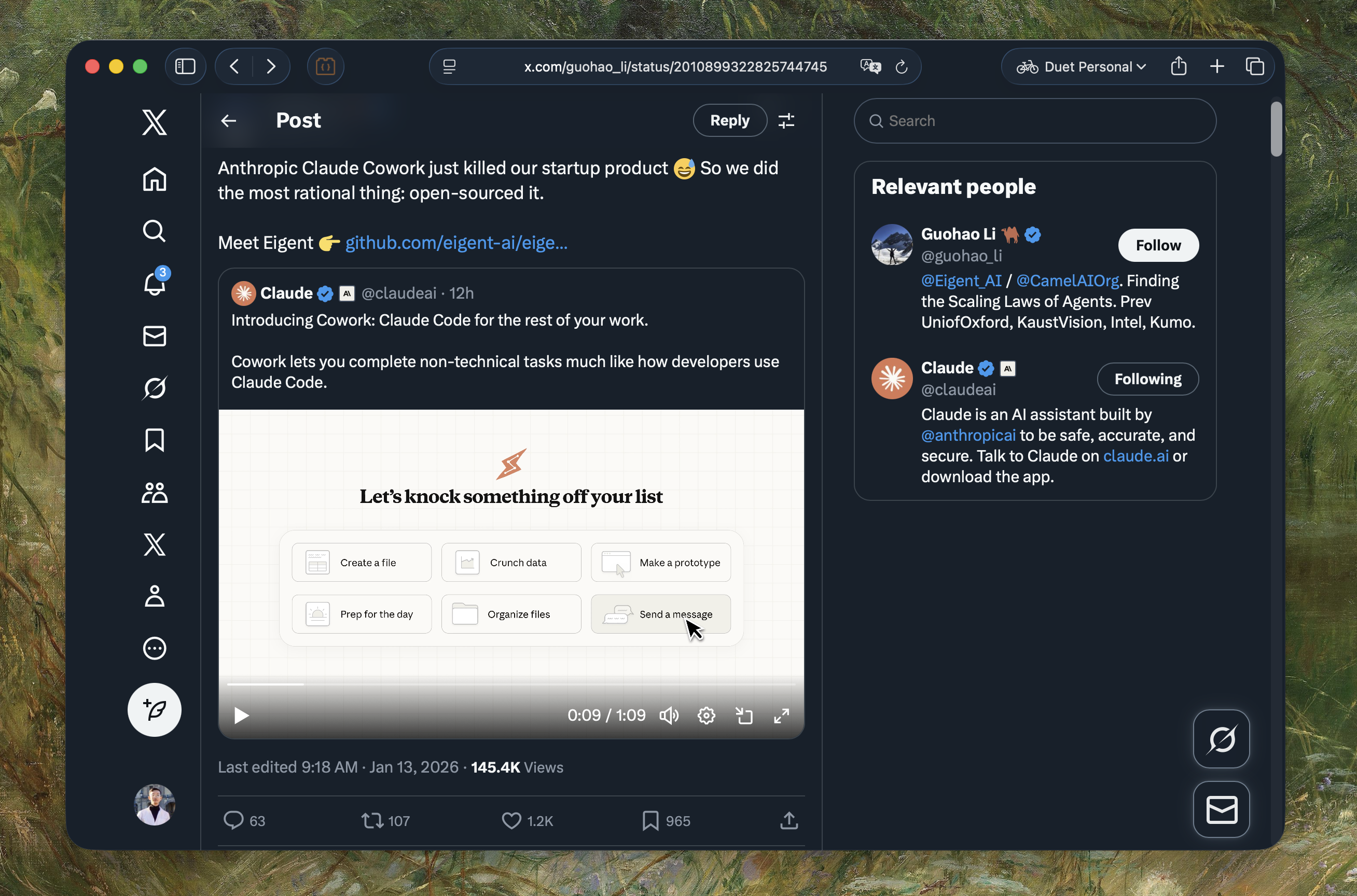
I didn't stop writing - tons of drafts in my Obsidian folder, none published because they became outdated before I could finish them. That's why I want to kick off this first 2026 post as my digital garden - a place to reflect on what I'm thinking and doing in this LLM era. This post will be updated from time to time.
Top on my list
Claude Code
Claude Code is still the king among all the coding agents I've tried. I've used Cursor, Codex, Antigravity, Gemini CLI, Droid, Roo Code, Kilo Code, Kiro, etc. None of them can beat Claude Code in my opinion. But I suggest you try all of them if you can - use a different one for each side project.
It just works - not only for coding, but for understanding complex systems, refactoring, writing docs, doing homework, planning travel, summarizing news, fixing your system, etc. "90% of code in Claude Code is written by itself" - How Claude Code is built. It's a general-purpose AI agent. Interestingly, it wasn't originally designed for coding. It started as Boris's side project.
The idea for Claude Code came from a command-line tool that used Claude to display what music an engineer was listening to at work. It spread like wildfire at Anthropic after being given access to the filesystem. Today, Claude Code has its own fully-fledged team
The shift from Copilot or Cursor (back in early 2025) to coding agents is like going from autocomplete to having other developers on your team. It's more like having teammates who do their own work, not a pair programmer grabbing your keyboard. They work on their own - I just review results, give feedback when asked, and honestly still can't believe this works. Your mindset changes from "I need to write good code" to "I need to write good prompts and build good skills". Most code in my GitHub repos is now generated without me writing a single line. I just prompt, watch, and test.
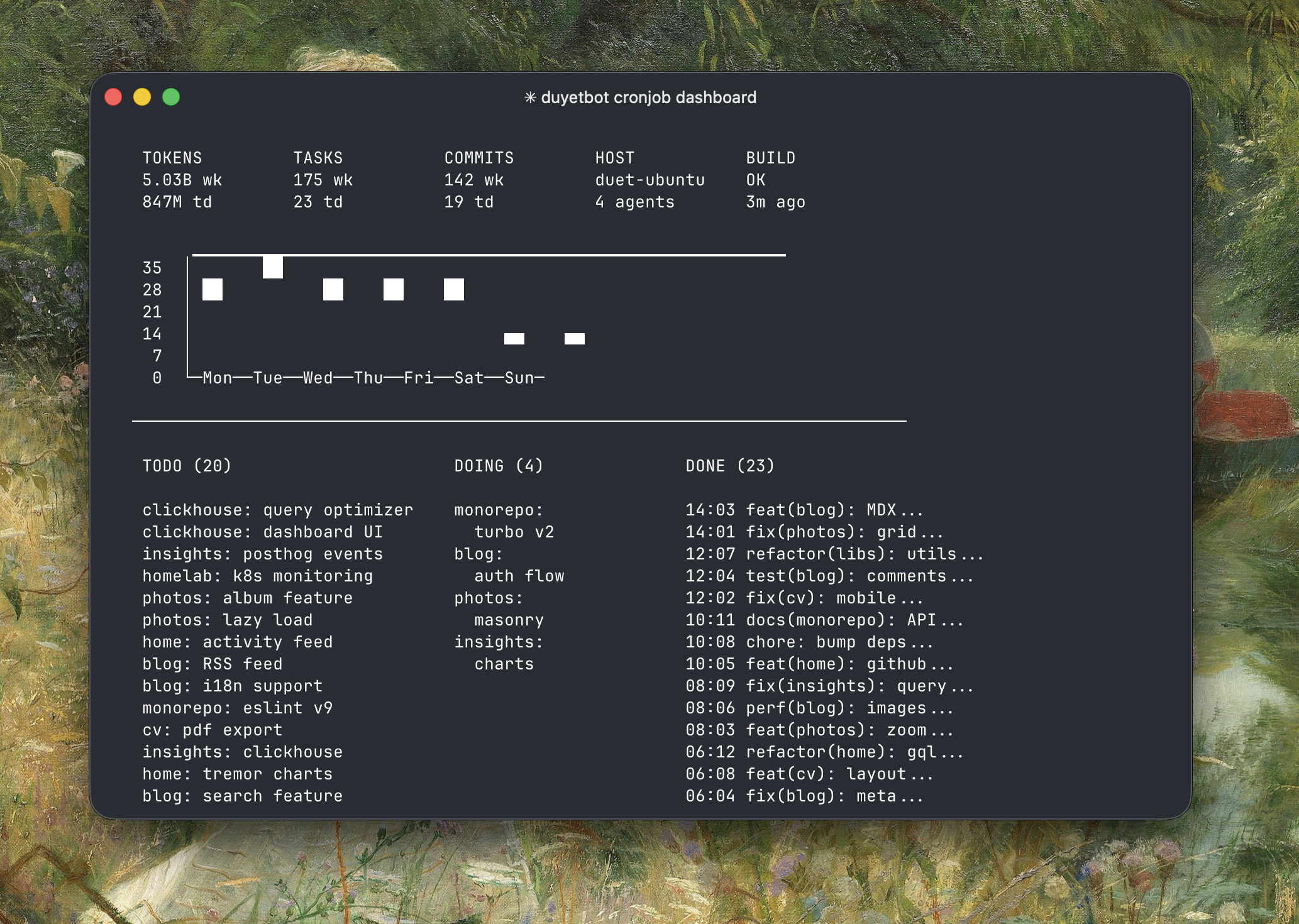
duyet.net gets updated automatically by Claude Code overnight with a custom Claude wrapper - my experiment to see how far Claude Code can go. Sometimes it researches new designs, sometimes it breaks the website, but it's fun to see. The script looks something like this:
while true; do cat prompt.md | claude --dangerously-skip-permissions; sleep 1h; done
The prompt.md file contains the task list and instructions. Claude reads it, executes, and updates the state for each loop. For more advanced use cases, check out Claude Code + Ralph Loop - it runs non-stop sessions that consume tasks while you can prompt it to read state or a TODO.md file on the fly.
There's no one correct way to use Claude Code. The following sections are for anyone curious about how I use it - skip this if you're already familiar with Claude Code.
Claude Code Setup
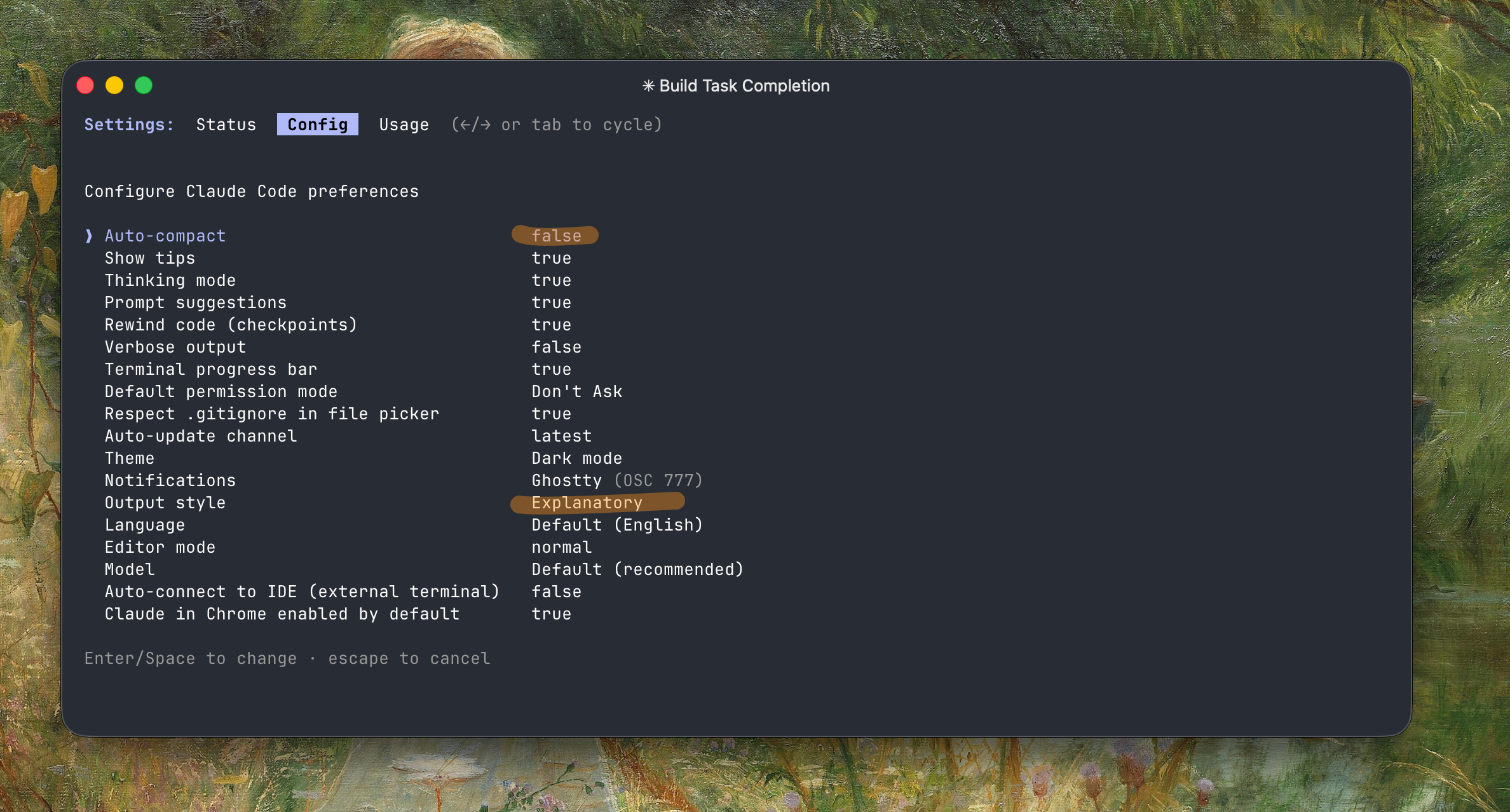
I prefer disabling Auto-compact - it's slow, wastes 45.0k tokens (22.5%) for the buffer, and usually loses context. I use sub-agents when possible since they have their own context. Otherwise I run /export to the clipboard, then /clear and paste the previous content back. The export won't include thinking tokens or tool calls, so you save a lot and the model still tracks well.
I always work with --dangerously-skip-permissions - it's not as dangerous as you'd think.
claude --dangerously-skip-permissions --chrome
My default list of MCPs are: context7, sequential-thinking, and zread. It depends on the project I'm working on.
History
- Mid 2025: SuperClaude_Framework - a collection of commands, agents, and behaviors installed in your
.claudefolder. Claude Plugins is more convenient now. - Early 2025: Zen MCP was a game changer at the time - it let you invoke other providers like Gemini for brainstorming.
Parallel agents
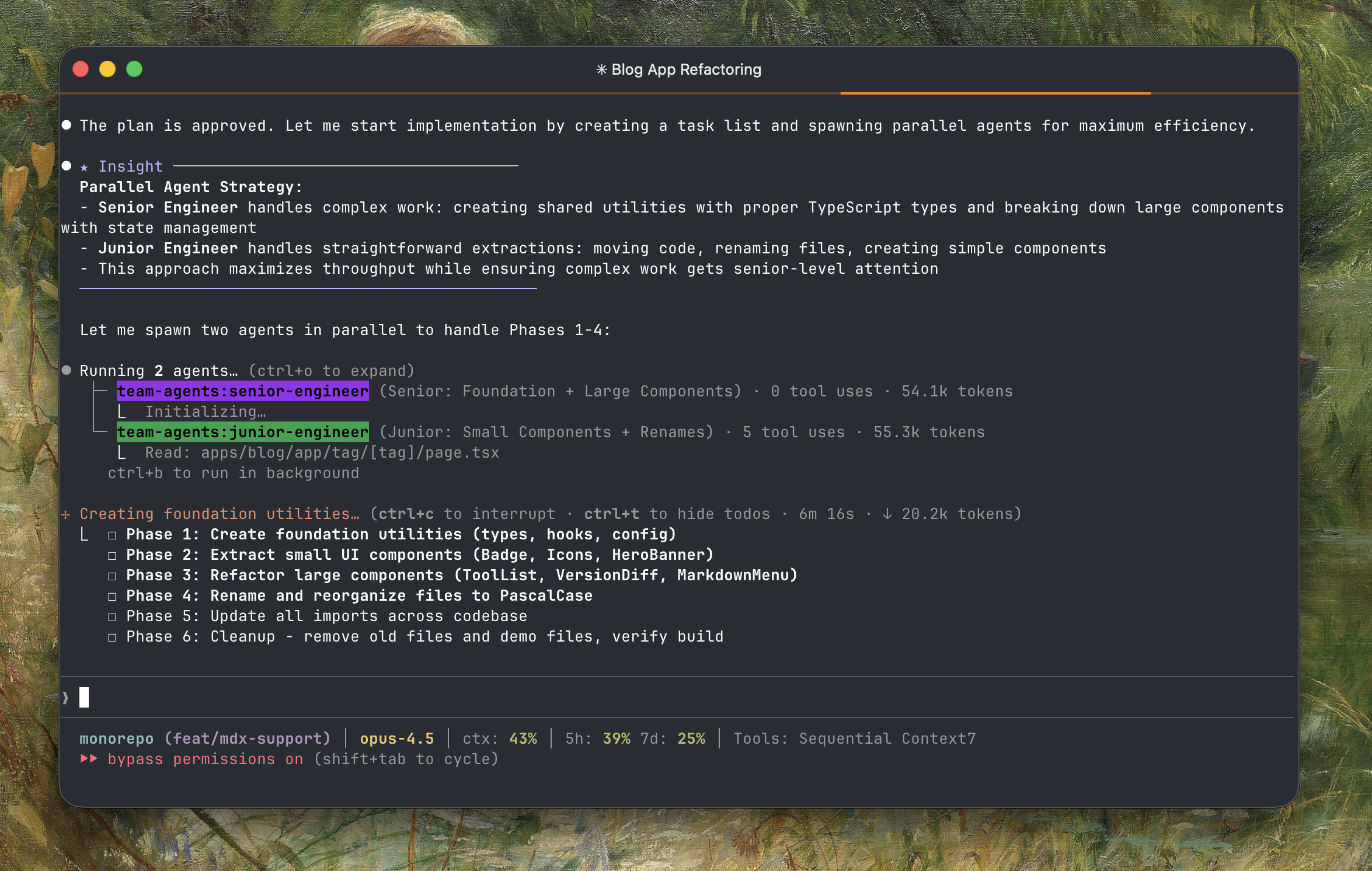
Don't just try to generate code, start leading a team of parallel agents and using background tasks for your agents.
I built a team-agents plugin for a coordinated agent team for parallel task execution with leader delegation to senior/junior. I keep the number of roles minimal, but you can add more for specific tasks. High-level architecture for you, try to parallelize work while maintaining quality on the complex parts.
duyet/claude-plugins
https://github.com/duyet/claude-plugins: A collection of plugins I use for Claude Code, including skills, MCPs, commands, and hooks across all my machines and Claude Agent SDK apps. You might find something useful here. The sub-agents and skills in this repo keep results consistent across codebases - I use Claude Code to learn patterns and update them over time.
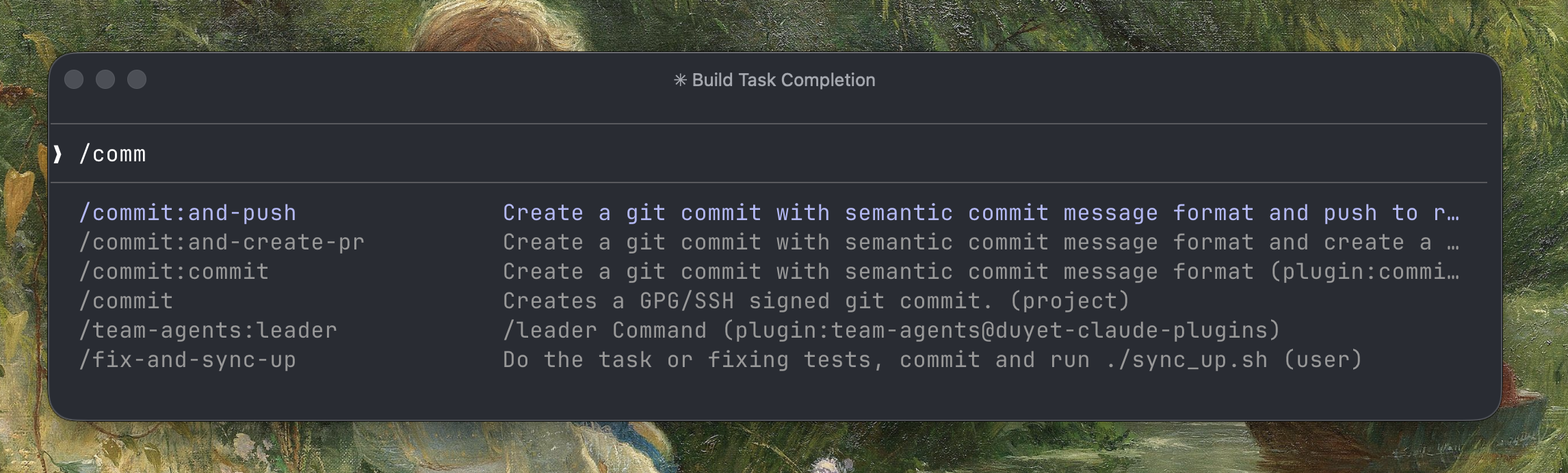
I started seeing AI engineers on X sharing their commands. I have a list of my own to make the workflow faster. This saves me from repeated prompting - some of the commands I use most:
/fix:and-push
/fix:and-create-pr
/orchestration [complex task]
/leader --team-size=5 implement the static rendering
Plan Mode
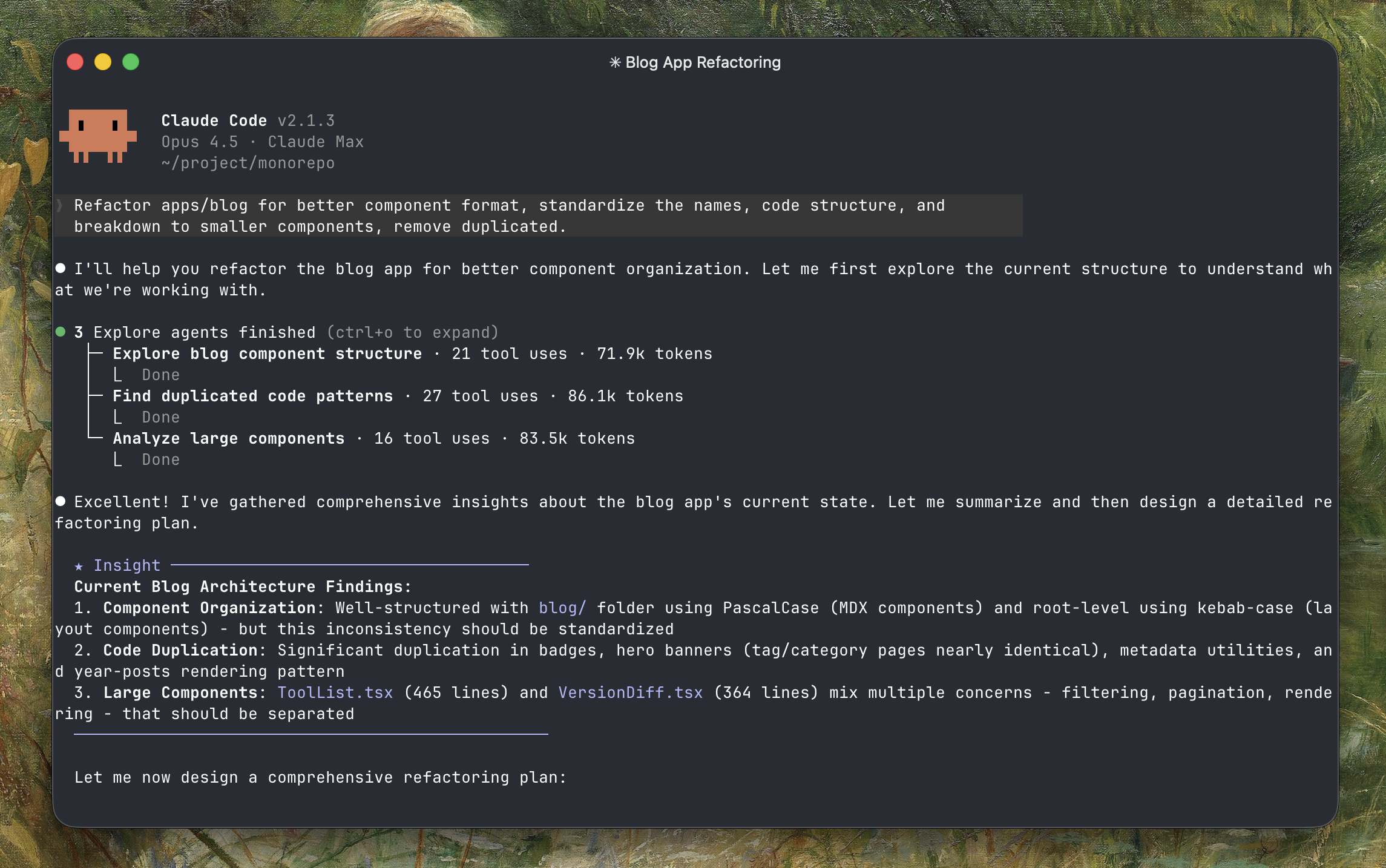
Plan mode performs significantly better than just prompting directly. When you give Claude time to think and plan first, the results are way more accurate. Less back-and-forth, fewer mistakes.
Hit shift+tab twice to enter Plan mode. I do this for most tasks and start a new session for each one.
Claude writes a plan file for you to review - keep adjusting until you're happy with it.
Once the plan is solid, Claude usually finishes the whole thing in one shot without asking questions.
Tip: If you're not clear about something, trigger the deep research agent first:
Deep research about [topic] and then implement [feature]
This helps Claude gather context before planning.
With a good plan, I usually don't do much here - just let it run. You can open another Claude Code session to work on something else while waiting.
If things go off track, inject a prompt mid-way. Claude will catch up and keep going.
You can kick off background agents for specific tasks (research, small changes, refactoring) while working.
The Explanatory output style shows you why Claude made certain choices - useful for learning.
I use agents for review: @code-simplifier cleans up the code, @refactor or @testing for specific checks.
Claude Hooks save time here - auto-format, run linters, or custom verification.
CLAUDE.md, AGENTS.md
First thing Claude does when starting a session is read your CLAUDE.md file. Most people ignore it, but it's actually really important. It keeps things consistent across sessions and saves time - Claude doesn't need to re-investigate your project setup every time.
A few tips:
- Keep it short - Claude reads this every session, don't make it a novel
- Make it specific - tell it your stack (
use bun, not npm), your conventions (use semantic commits), your preferences - Update it constantly - if you keep correcting Claude on the same thing, that's a signal it should be in CLAUDE.md. Just say
remember this to CLAUDE.md - Subdirectory CLAUDE.md files - this is useful for monorepos, lazy loaded when Claude is actively working in that part of the codebase (e.g.
apps/home/CLAUDE.md,apps/blog/CLAUDE.md, etc).
AGENTS.md serves a similar purpose. If you use both Claude Code and other coding agents (like Codex, Cursor), create a symlink so they share the same instructions:
ln -s CLAUDE.md AGENTS.md
or put instructions in AGENTS.md (an open standard) and reference it from CLAUDE.md:
@AGENTS.md
Claude Code reads CLAUDE.md, Codex reads AGENTS.md - you only maintain one.
Here's a snippet from my global ~/.claude/CLAUDE.md that applies to every project:
# Git Workflow

- follow semantic commit format with consistent scope
- use simple English—avoid words like "comprehensive", "elaborate", "extensive"

# Shortcuts

- `cm` → commit changes (`/commit:commit`)
- `cp` → commit and push (`/commit:and-push`)
- `ok`, `c`, `continue` → acknowledge and continue
- `p`, `parallel` → assign tasks to multiple agents in parallel

# Notes

- Early stage, no users. No backward compatibility concerns
- Do things RIGHT: clean, organized, modular, scalable, zero technical debt
- Never create compatibility shims or workarounds—always full implementations
- Build for 10,000+ users: sustainable, maintainable, no half-baked hacks
- Never remove, hide, or rename existing features/UI unless explicitly requested
- If something isn't wired yet, keep UX surface intact—stub or annotate instead
- Context window auto-compacts near limit; never stop tasks early
- Save progress to memory before context refresh
- Delegate to sub-agents proactively when context nears limit
- In PLAN mode: break down tasks for parallel agent execution
- Assign simple tasks to junior agents, complex tasks to senior agents
- Use sub-agents whenever possible to maximize parallelism
- Use Context7 for library docs, zread for GitHub repo exploration—verify before implementing
Interview Mode
For complex tasks, try my /interview plugin - it asks clarifying questions before you start planning. It helps catch missing requirements early.
/plugin install interview@duyet-claude-plugins
/interview:interview ~/.claude/plans/adaptive-dazzling-lamport.md

Claude Code + Ralph Loop
The ralph-wiggum plugin is my favorite for long-running tasks or vibe coding on fun projects while I'm asleep. You define a goal condition and let the agent loop until it verifiably reaches that goal. With cheap Z.AI GLM 4.7 tokens, I can let it run 24/7. Run it with --permission-mode=dontAsk or --dangerously-skip-permissions.
/plugin install ralph-wiggum@claude-plugins-official
/ralph-wiggum:ralph-loop "Implement feature X following TDD:
1. Write failing tests
2. Implement feature
3. Run tests
4. If any fail, debug and fix
5. Refactor if needed
6. Repeat until all green
7. Output: <promise>COMPLETE</promise>" --completion-promise "COMPLETE"
z_claude, mi_claude & or_claude
The good thing about Claude Code is that you can use it with alternative providers that offer the same Anthropic API interface. I've created some wrapper scripts for this:
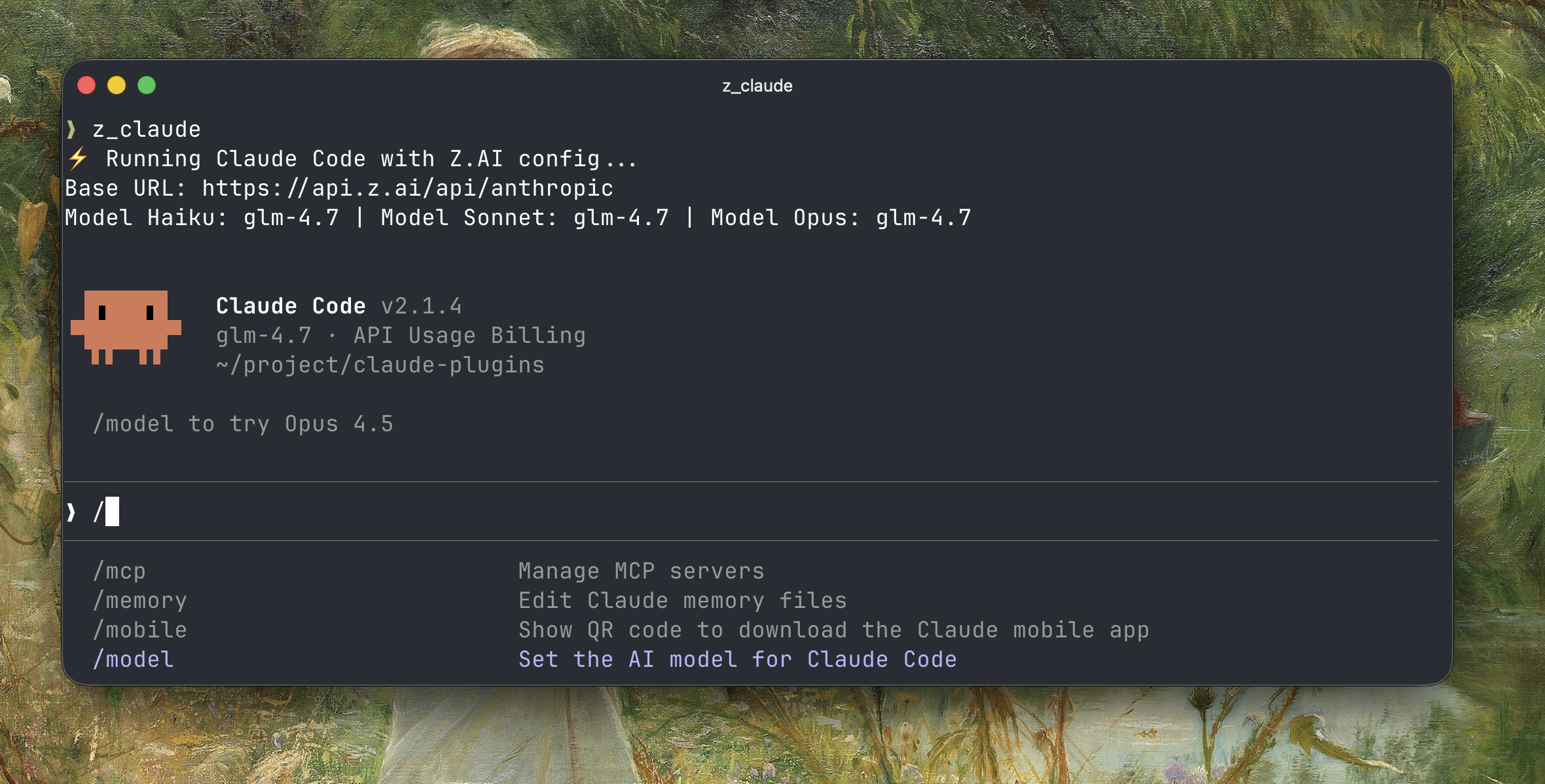
- z_claude - Uses Z.AI's GLM 4.7 model, which works great. Unbelievably cheap (starts at $3/mo). I use this a lot to burn their tokens instead of my Claude MAX subscription.
- mi_claude - Uses Xiaomi Mimo API.
- or_claude - Uses OpenRouter models. Plenty of good free models available, though with rate limits.
You can start working with claude using Opus, then exit and continue the same session with z_claude --continue. Use mi_claude or or_claude the same way.
Claude Code (+ OpenRouter) on GitHub Actions
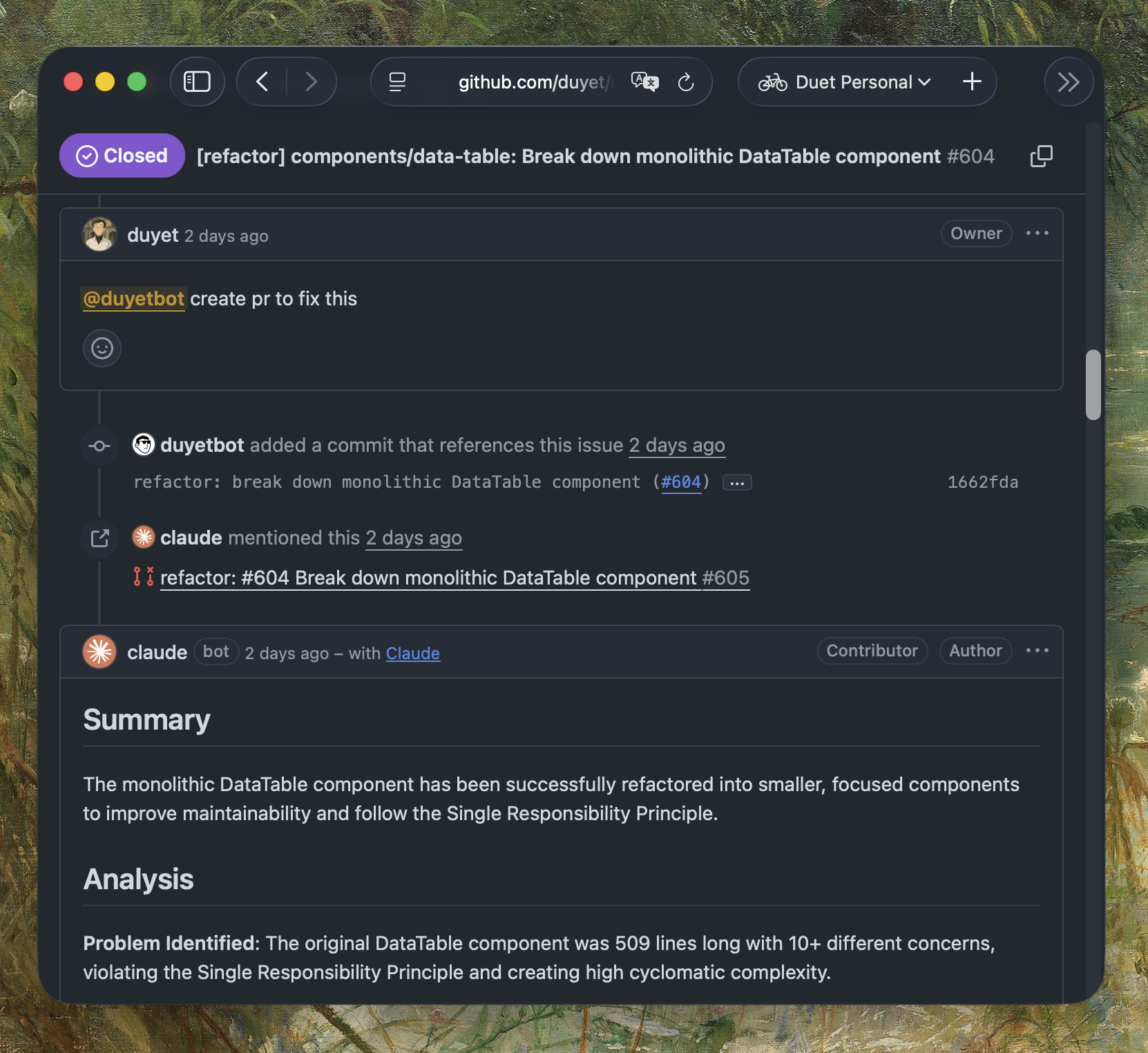
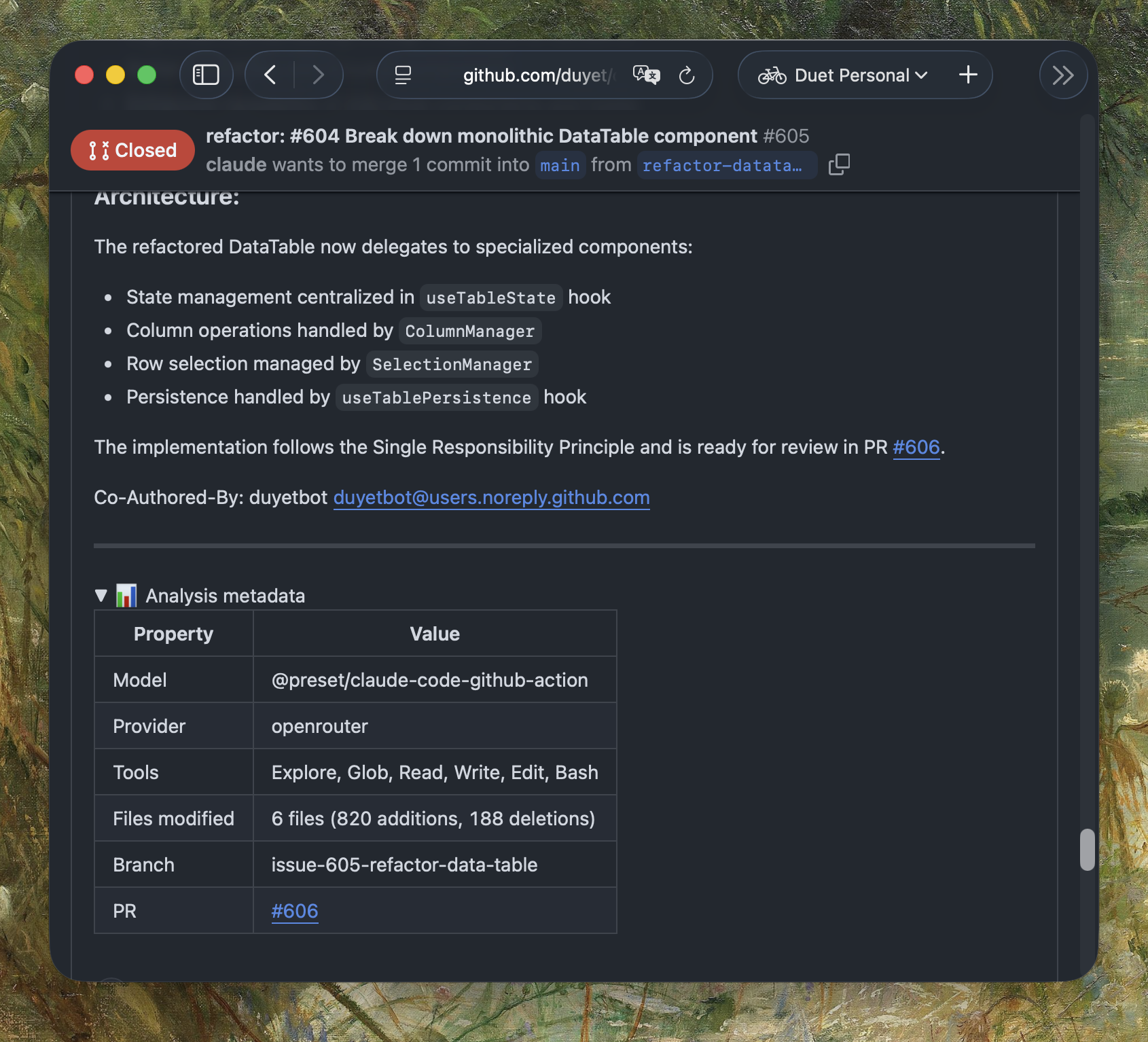
The best part is I'm running Claude GitHub Actions with OpenRouter at no cost by using free models. I have an OpenRouter preset that can switch between SOTA free models automatically.
- name: Run Claude Code Review
  id: review
  uses: anthropics/claude-code-action@v1
  env:
    ANTHROPIC_API_KEY: ${{ secrets.OPENROUTER_API_KEY }}
    ANTHROPIC_BASE_URL: https://openrouter.ai/api
    ANTHROPIC_DEFAULT_HAIKU_MODEL: xiaomi/mimo-v2-flash:free
    ANTHROPIC_DEFAULT_SONNET_MODEL: xiaomi/mimo-v2-flash:free
    ANTHROPIC_DEFAULT_OPUS_MODEL: xiaomi/mimo-v2-flash:free
  with:
    anthropic_api_key: ${{ secrets.OPENROUTER_API_KEY }}
    additional_permissions: |
      actions: read
    claude_args: |
      --allowed-tools Bash Edit Glob Grep Read Write
      --mcp-config .github/mcp-config.json
    plugins: |
      ralph-wiggum@claude-plugins-official
I put together some reusable workflows at duyet/github-actions that other repos can reuse:
name: Claude Code Review

on:
  pull_request:
    types: [opened, synchronize]

jobs:
  review:
    uses: duyet/github-actions/.github/workflows/claude-code-review.yml@main
    permissions:
      contents: read
      pull-requests: write
      issues: read
      id-token: write
    secrets:
      api_key: ${{ secrets.OPENROUTER_API_KEY }}
      bot_github_token: ${{ secrets.DUYETBOT_GITHUB_TOKEN }}
Check out the official documentation: Claude Code GitHub Actions. Some use cases:
- Code Review - Automated PR reviews with AI feedback
- Nightly Codebase Analysis - A scheduled workflow that scans the codebase every night, finds things to improve or refactor, creates an issue, and assigns it to @claude to fix via PR
This way you can have Claude Code + OpenRouter free or cheap models running 24/7 for you. A lot of automation becomes possible: smart cronjobs, automated refactoring, documentation sync, etc. The AI does the boring stuff while you sleep.
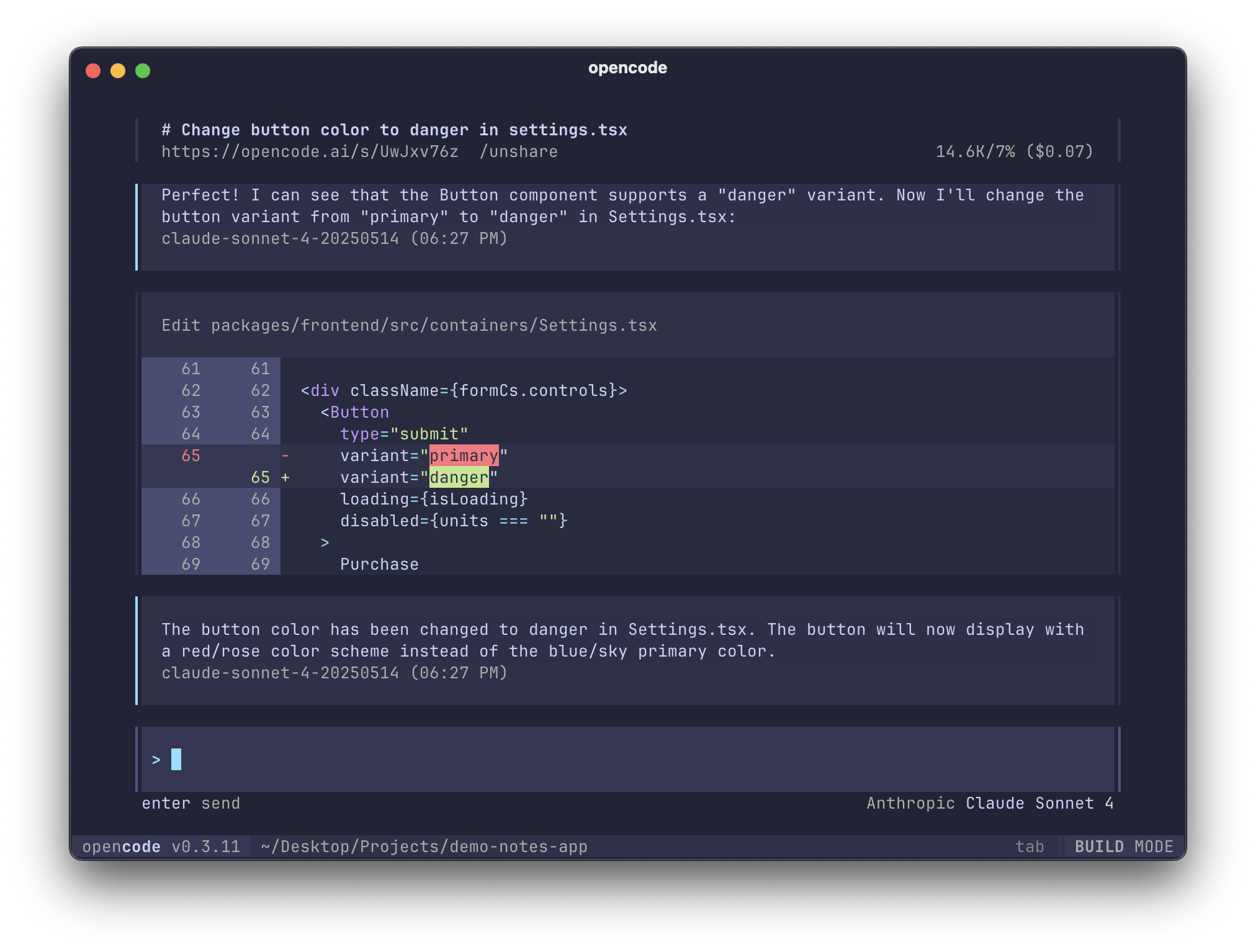
opencode
If you want to try a good coding agent with nice UI/UX - opencode is really solid right now. Fast, simple, and it reads all your Claude config and plugins out of the box.
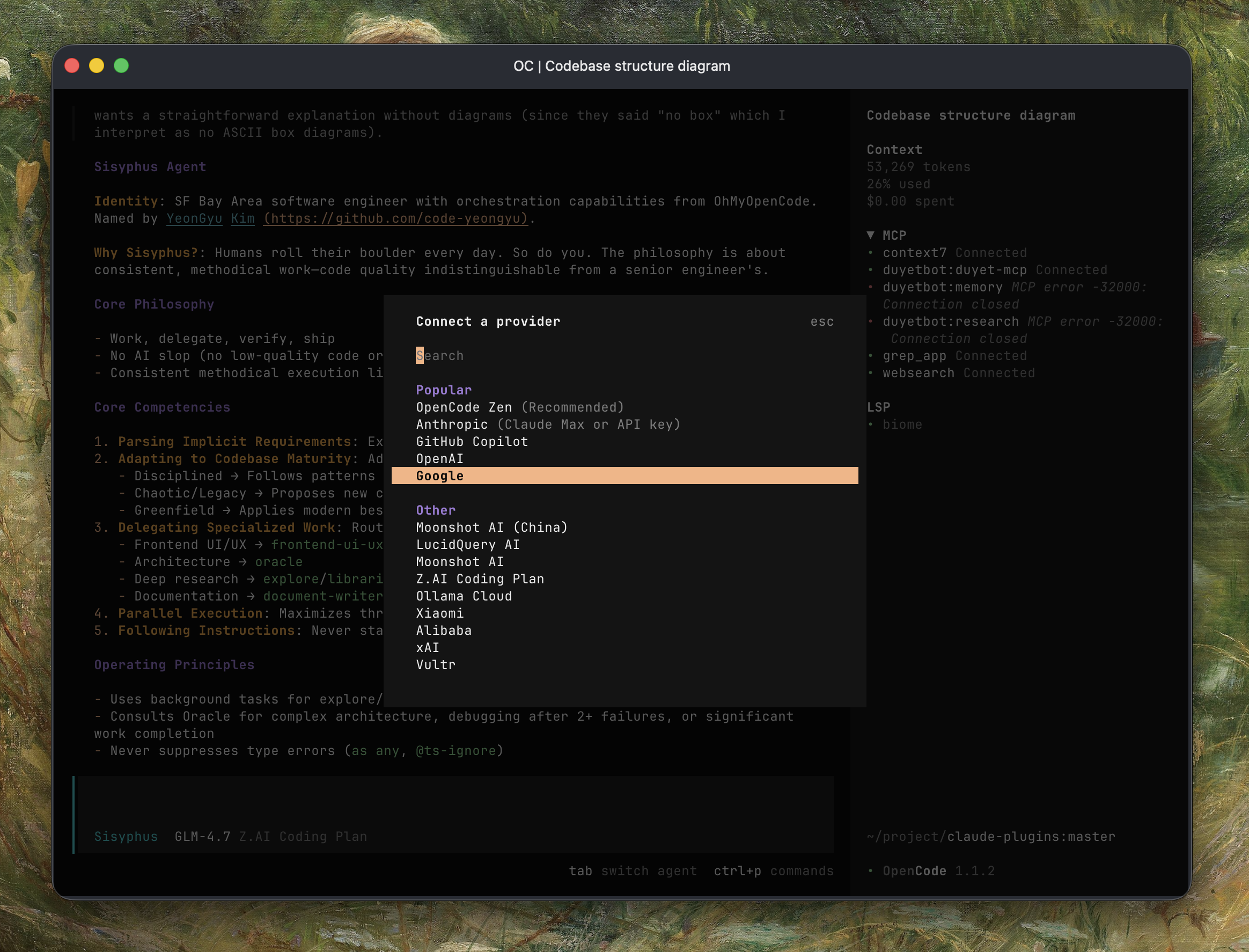
It connects to a lot of providers: Z.AI, OpenRouter, Codex, Claude, plus some free Zen models from their own provider. When I hit rate limits on one, I just switch to another. When Opus is overkill, I drop down to something cheaper.
You can save and share sessions - handy when you want to show someone how you solved something. They also have a native web UI now.
I suggest trying oh-my-opencode - it adds some powerful workflows on top of opencode:
- Sisyphus agent - an orchestrator (Opus 4.5) that "keeps the boulder rolling" through autonomous task completion. It uses subagents, background parallel execution, and won't stop until tasks are actually finished
- Multi-model orchestration - coordinates GPT-5.2, Gemini, and Claude by specialized purpose
- Background parallelization - runs exploration and research tasks async while main work continues
- Magic word
ultrawork- add this to your prompt and it activates maximum orchestration: parallel agents, background tasks, deep exploration, relentless execution
Series: Pushing Frontier AI to Its Limits
Reflect on what I'm thinking and doing in this LLM era